The desktop you know.
Free, and built on Linux.

Pane OS gives you Start, File Explorer, Settings, Task Manager and more than 35 rebuilt apps — the familiar Windows 11-style experience, on a fast, private, open-source foundation.

Free forever · 64-bit PCs · Built on AnduinOS 2.0, Ubuntu 26.04 and GNOME 50

Pane OS desktop with the Start menu open

See it in action

Pane OS in 43 seconds

Features

Everything where you expect it

No new workflow to learn. Pane OS replaces every stock app with a Windows-style one, so it feels like home from the first click.

Start and Search

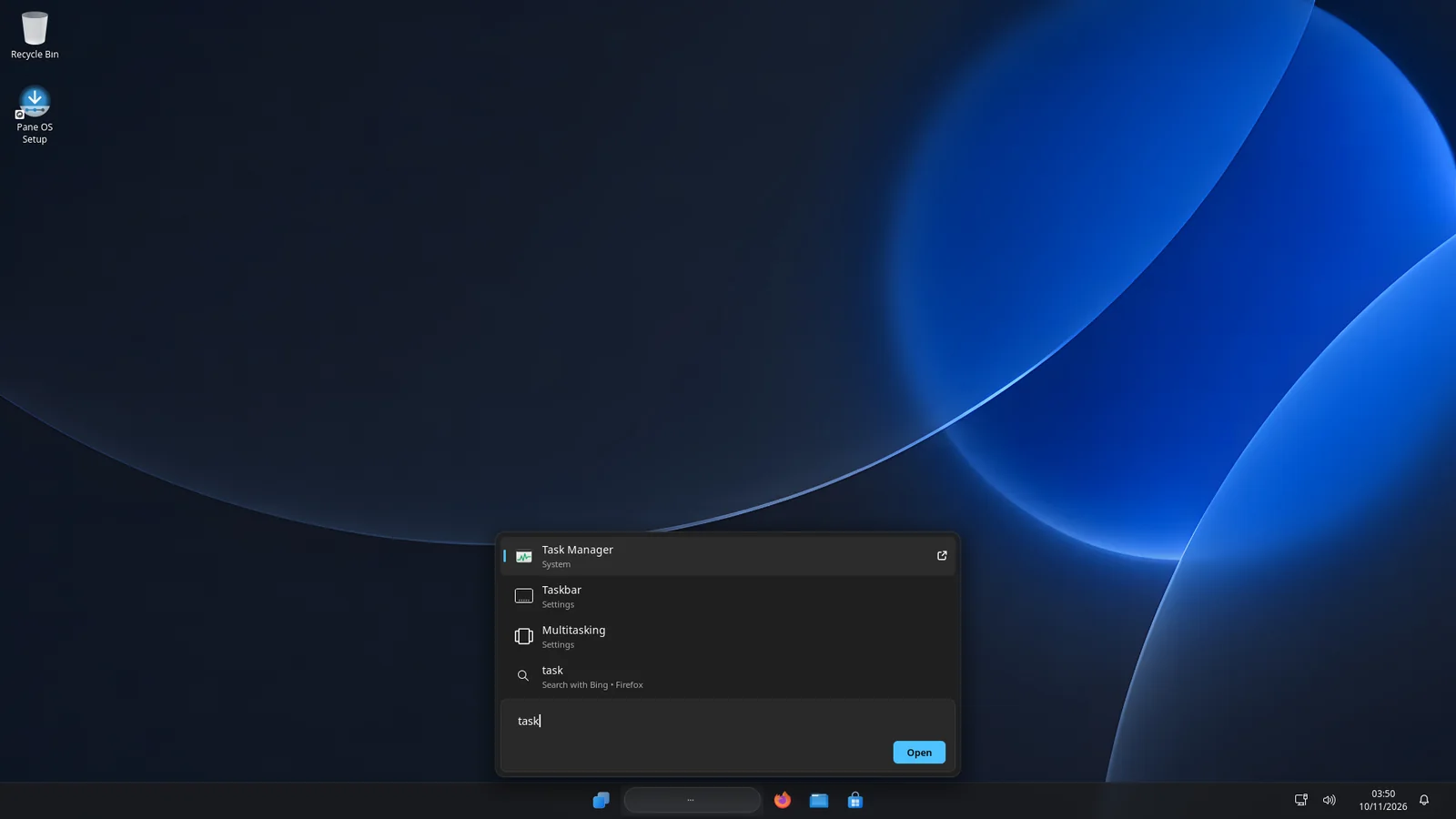
Pinned apps, recommended files and the full app list, one click away. Start typing to find apps, settings and the web.

  • Centered taskbar with pinned apps
  • Search apps, settings pages and files
  • Power, account and folders at the bottom
Start menu
Search results for Task Manager

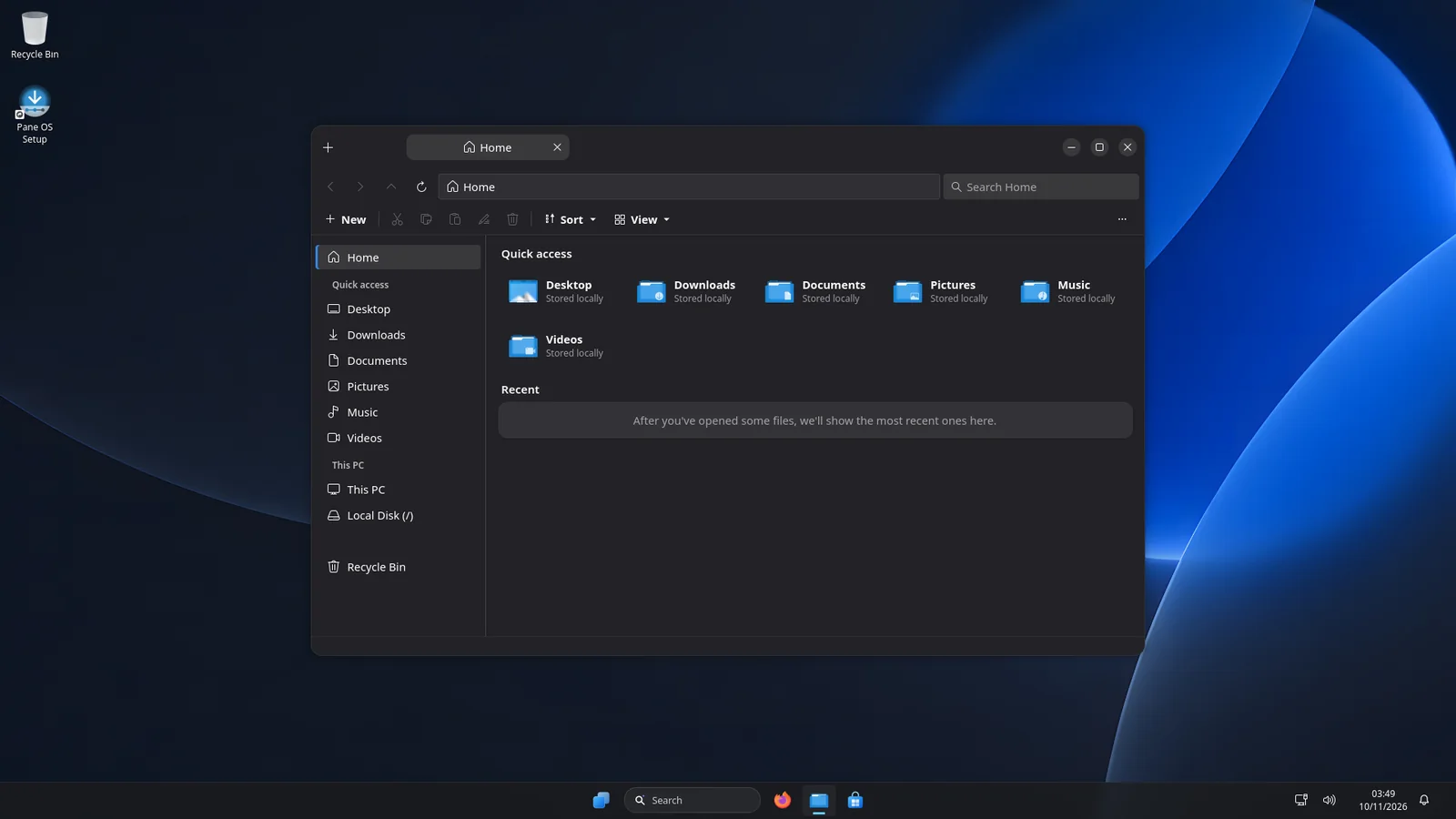
File Explorer, with tabs

Quick access, This PC, Recycle Bin, tabs and the right-click menus you're used to — including cut, copy, paste and rename shortcuts.

  • Tabs and a full address bar
  • Opens ZIP, 7z and RAR archives
  • Windows 11-style context menus everywhere
File Explorer

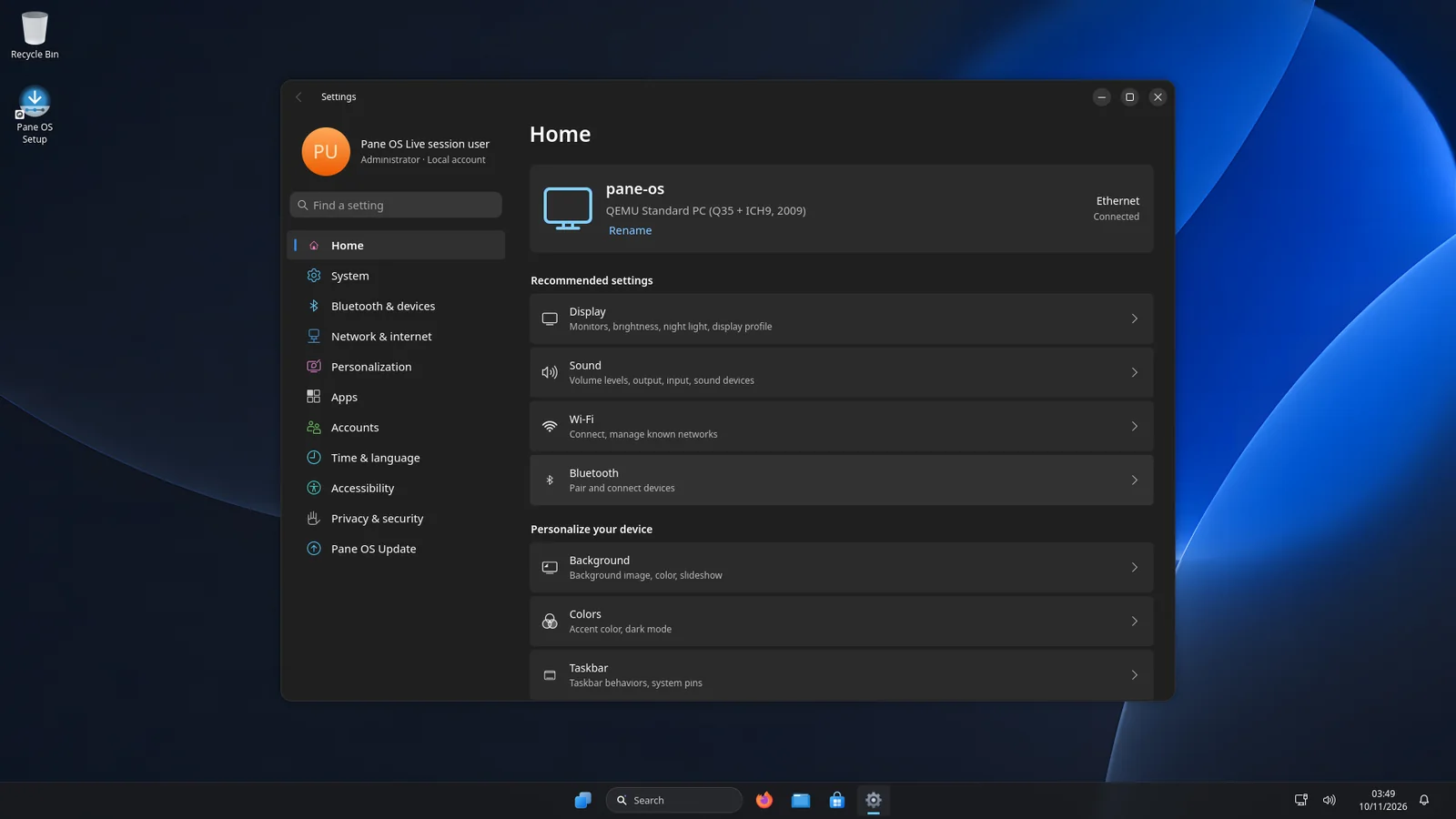
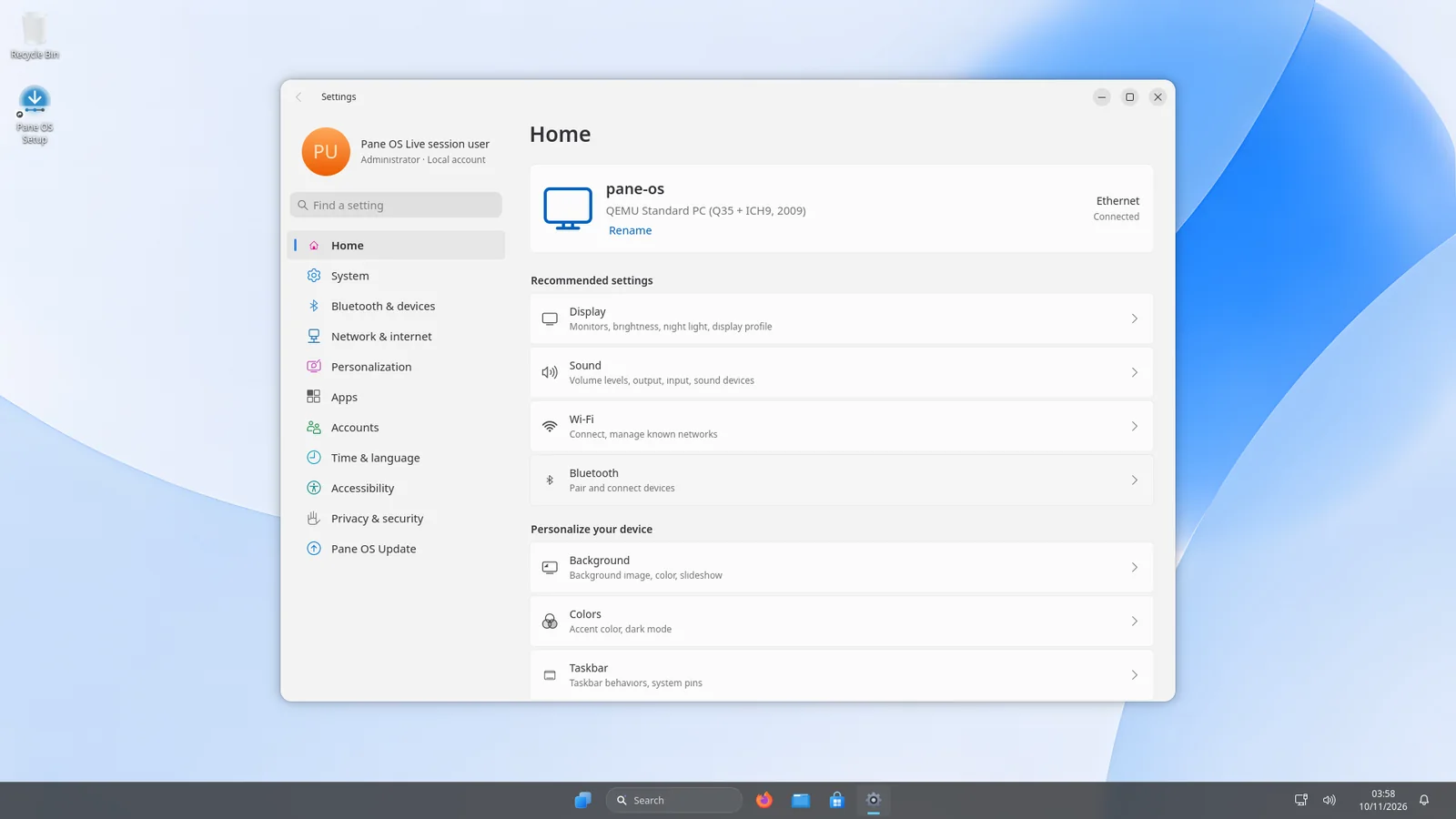
A complete Settings app

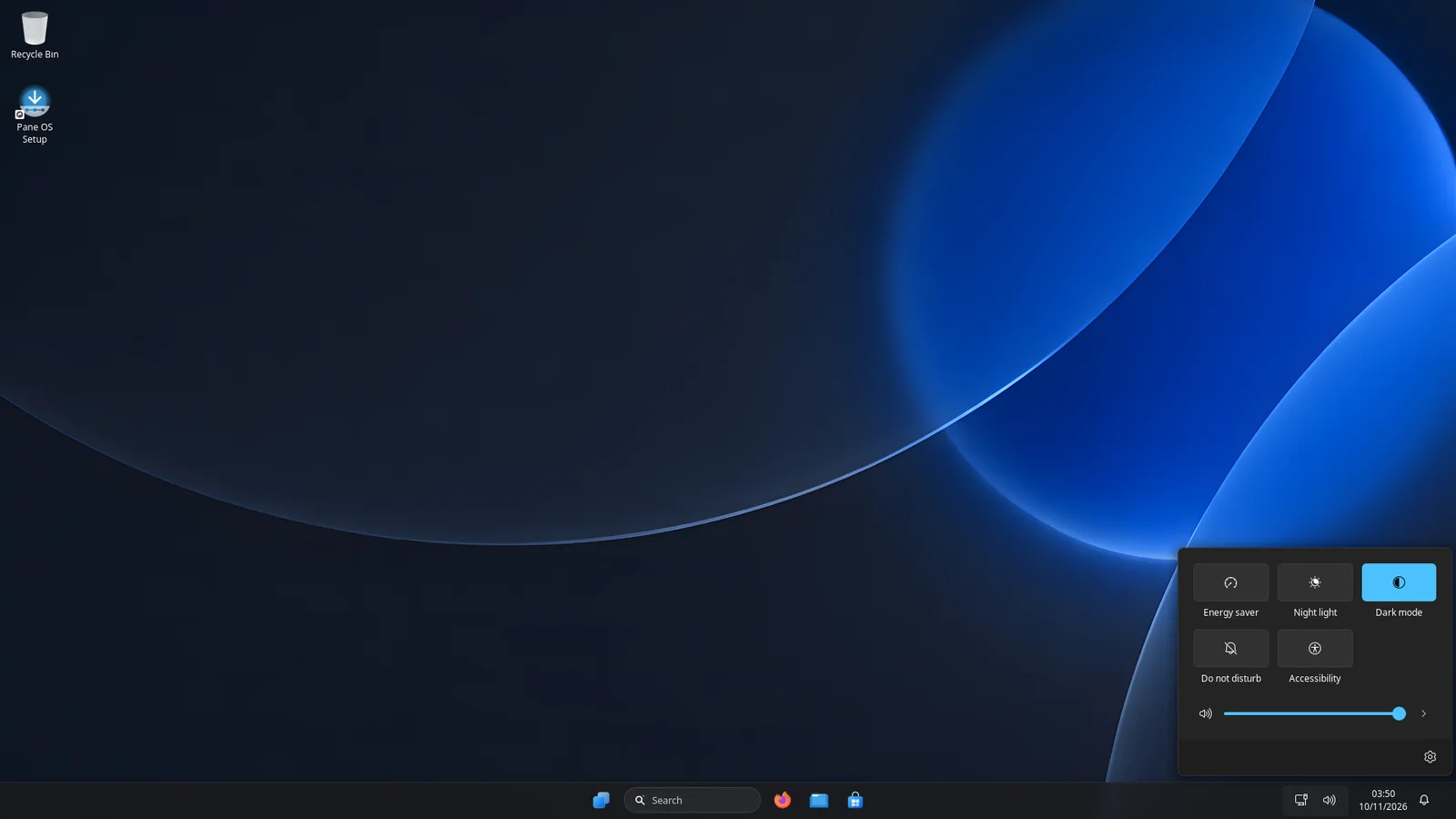
System, Bluetooth & devices, Network & internet, Personalization, Apps, Accounts, Time & language, Accessibility and Privacy — plus Quick Settings in the taskbar.

  • 67 settings pages, all searchable
  • Dark mode, night light and volume in one click
  • Pane OS Update keeps everything current
Settings app
Quick Settings panel

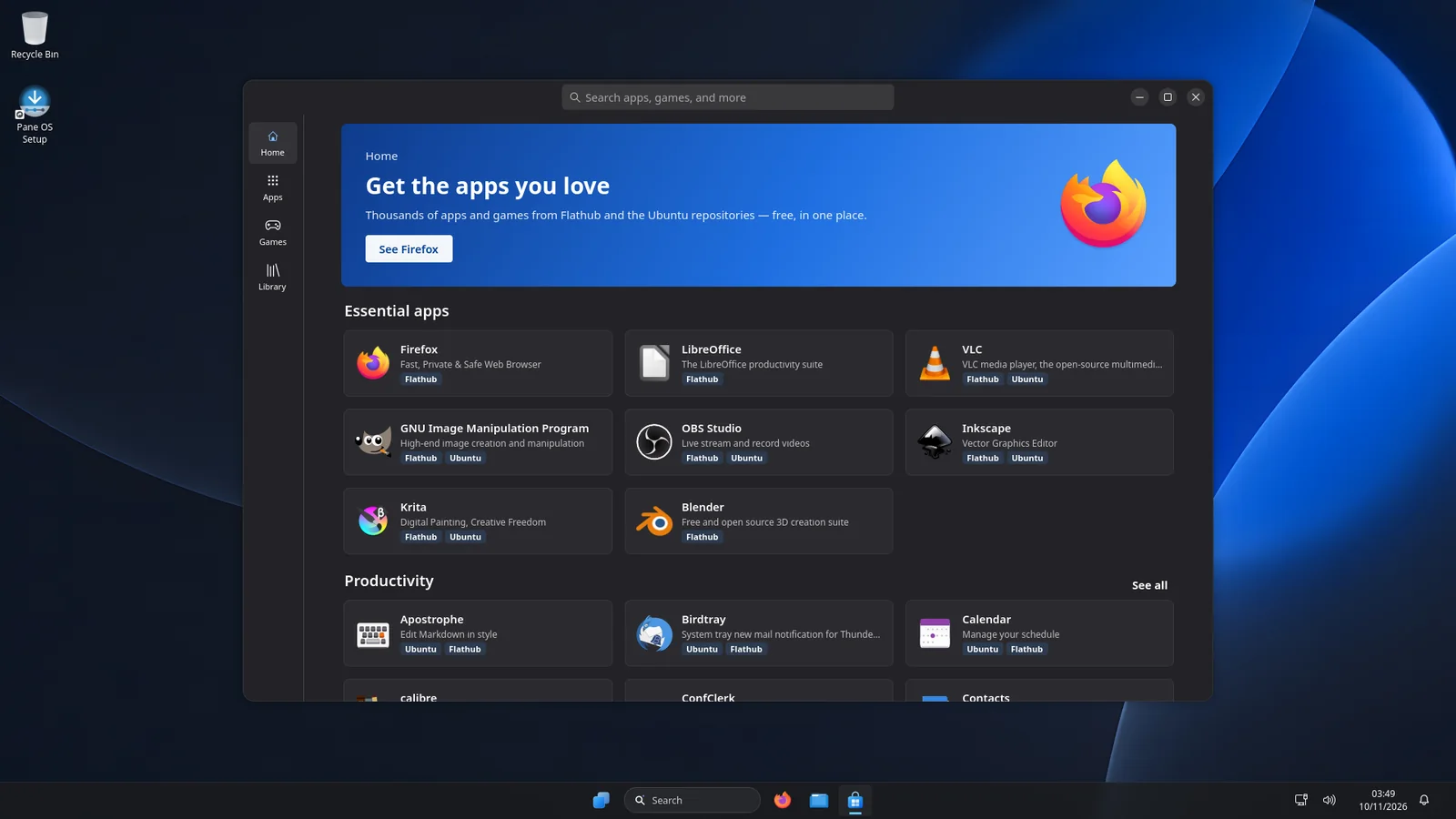
Get the apps you love

The Store brings thousands of free apps and games from Flathub and the Ubuntu repositories together in one place — Firefox, LibreOffice, VLC, GIMP, OBS, Blender and more.

  • One-click install and updates
  • Games section and your Library
  • Run many Windows programs with the built-in EXE Runner
  • New: open .paneapp files — apps made just for Pane OS
Store app

Power tools included

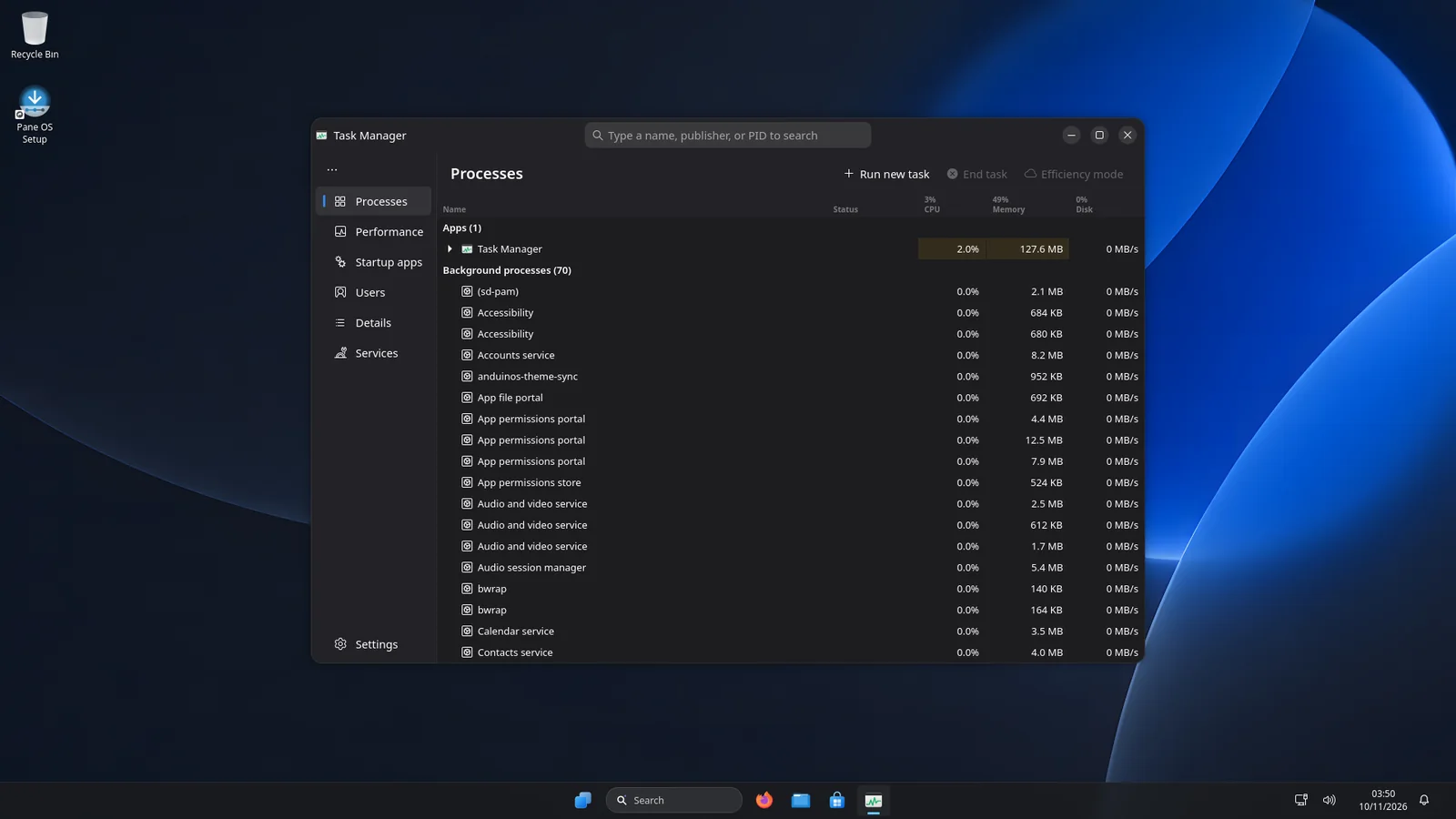
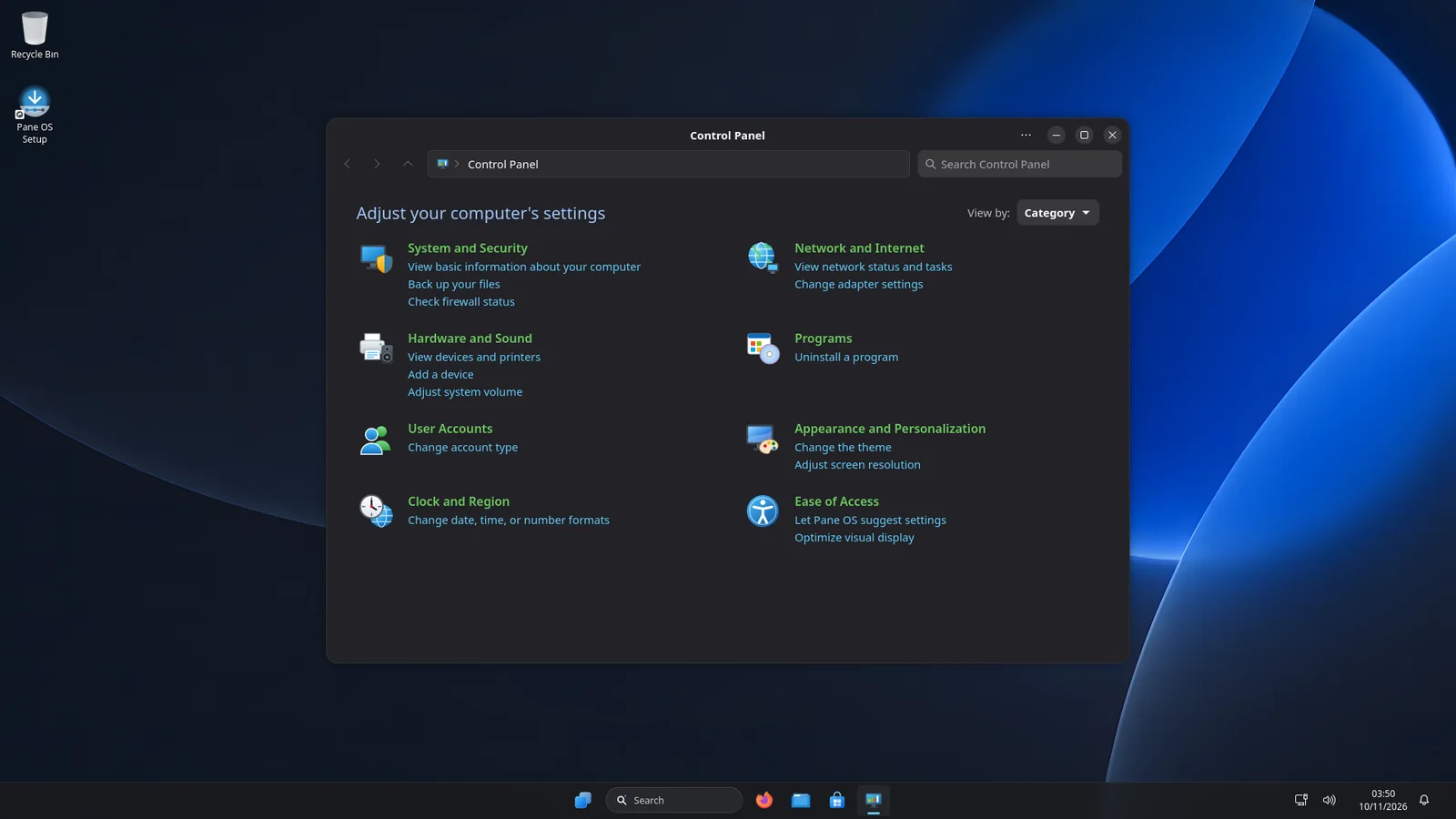
Task Manager, Control Panel, Event Viewer, Disk Management and Credential Manager are all here — so troubleshooting works the way you already know.

  • Processes, performance, startup apps and services
  • Classic Control Panel categories
  • A modern Terminal with tabs
Task Manager
Control Panel

Light or dark, your choice

Switch modes from Quick Settings or Settings, and every Pane OS app, the Start menu and the taskbar follow along. Drag the slider to compare.

  • System-wide light and dark mode
  • Accent colors for buttons and highlights
  • Your own wallpaper and slideshow
Settings in dark mode Settings in light mode
LightDark

Apps

35+ apps, rebuilt

Every app is a native Pane OS app in the Windows 11 style — not a skin on top of something else.

Plus File Explorer, Terminal, Start, Taskbar, Quick Settings, Notification Center, Search and the desktop.

Under the hood

Familiar on top. Solid underneath.

Secure and private

Built on AnduinOS 2.0 and Ubuntu 26.04, with Secure Boot support, a firewall and no ads. The only thing Pane OS sends is an anonymous daily count, which you can turn off.

Always up to date

Pane OS Update delivers new app versions, while Ubuntu security updates install alongside — your customizations stay intact.

Fast and modern

GNOME 50 on Wayland, Linux 7.0, GTK 4 and libadwaita — smooth on new hardware and light on older PCs.

Free, forever

No subscription and no account required. Install it on as many PCs as you like.

Download

Get Pane OS

Try it from a USB stick without touching your PC, then install when you're ready.

Pane OS 1.0
Download ISO
File
Size
SHA256

System requirements

  • 64-bit PC (x86-64) with UEFI
  • 4 GB RAM (8 GB recommended)
  • 30 GB of free storage
  • USB stick of 4 GB or more for the installer
  1. Download the ISOOptionally check it matches the SHA256 checksum shown here.
  2. Make a bootable USB stickUse balenaEtcher, Rufus or Ventoy to write the ISO to a USB stick.
  3. Start your PC from the USB stickRestart and open the boot menu (often F12, F11, Esc or F2). Pane OS runs live, so you can try it first.
  4. Run Pane OS SetupDouble-click “Pane OS Setup” on the desktop and follow the steps — language, keyboard, disk and your account.
  5. Get StartedAfter your first sign-in, Get Started helps you pick light or dark mode, your apps and your privacy settings.

FAQ

Questions, answered

Is Pane OS Windows?

No. Pane OS is a Linux operating system. Pane OS is built on AnduinOS 2.0, which is based on Ubuntu. It's designed to look and work like the Windows 11 desktop, but it's an independent project and contains no Microsoft software.

Can I run Windows programs?

Many Windows programs run with the built-in Windows EXE Runner or Bottles from the Store. For most everyday tasks — browsing, office documents, photos, music and video — there are free native apps in the Store.

Does it cost anything?

No. Pane OS is free to download, use and install on as many PCs as you like. There are no ads, subscriptions or accounts.

Can I try it without installing?

Yes. Start your PC from the USB stick and Pane OS runs live from it. Nothing is changed on your PC until you run Pane OS Setup.

What is a .paneapp file?

A .paneapp is an app made just for Pane OS. Double-click one and App Installer shows you the app's name, publisher and what it needs, then installs it to your Start menu with one click — no terminal needed, and no password unless the app needs extra parts from Ubuntu. Apps get full access to your PC, so they work like any other program, but Pane OS keeps a safety net: if an app suddenly starts deleting or scrambling your files, Pane OS stops it and puts your files back, and you can undo everything an app changed from its details page. Existing PCs get .paneapp support through Settings › Pane OS Update.

Can I make my own .paneapp?

Yes. Put your app in a folder with a small paneapp.json file that names it, then run pane-app pack on that folder to get a .paneapp you can share. A complete sample app and the format guide come with Pane OS in /usr/share/doc/pane-apps.

Does Pane OS collect any data?

Only one anonymous number. Once a day, each PC adds 1 to a public count of how many PCs use Pane OS, and once ever to a count of installs. Nothing about you or your PC is sent — no name, no ID, no hardware details, no files or browsing — and the live USB is never counted. The count is kept by the free counter service abacus.jasoncameron.dev, which, like any website, sees your IP address when your PC connects. To turn it off, open Settings › Privacy & security › Diagnostics & feedback and switch off "Count this PC as a Pane OS user".

How do updates work?

Settings › Pane OS Update installs new versions of Pane OS apps. Ubuntu security and app updates install alongside them, and Pane OS keeps its own look and changes in place after each update.

Can I keep Windows and install Pane OS next to it?

Pane OS Setup can install alongside an existing system if your disk has free space. Always back up your files before installing any operating system.